What is vibe coding?
Vibe coding is a way of creating software where you describe what you want in normal language, and an AI system helps turn that description into working code.
Traditional coding: Idea → write code → run program → fix bugs → repeat.
Vibe coding: Idea → describe what you want → AI builds → test it → describe what to improve → repeat.
Instead of starting with syntax, you start with intention. The first version is usually weird. That is normal. Vibe coding is not "type one sentence and receive a perfect game" — it is the loop:
Prompt → Build → Test → Notice → Improve → Repeat
The most important mindset shift
A player asks: Is this game fun?
A builder asks: Why is this game fun? What is the player doing? What should I change?
Imagine a game where you jump over spikes. A player says "this is too hard." A builder says: "The first spike appears too soon. The player doesn't have time to learn the jump. The first level needs a safe starting zone and slower obstacles."
Your first job: make something exist
Before a game can be great, it has to exist. Every real game begins as something smaller, rougher, and uglier than the final version. We call it a prototype.
Games are not just graphics — they're actions & feedback
A game is mostly made of actions and feedback. The player does something. The game responds. The player decides what to do next. That is the loop. The most important question is:
What does the player do over and over?
We call that the core verb.
Lock in your core verb
Name the one thing the player will do over and over, and why it feels good.
The core verb of this game is "[CORE VERB]".
The player should [CORE VERB] over and over, and it should feel [WHY THIS VERB IS SATISFYING].

Make the controls, level design, sound, and feedback all reinforce the act of [CORE VERB]ing. Any feature that distracts from [CORE VERB]ing should be cut or pushed to a later version.
The player promise
Every good game makes a promise — not "10 levels," but a feeling.
- Racing game → fast and competitive.
- Cozy game → calm and creative.
- Puzzle game → clever.
- Horror game → nervous but curious.
- Platformer → challenged and skilled.
In this course we use the sentence:
Our game helps players feel ______ by letting them ______.
Write your player promise
Our game helps players feel [FEELING] by letting them [ACTION].

Use this player promise as a compass for every design decision. If a feature does not help the player feel [FEELING] while [ACTION]ing, do not add it.
Lovable is not just a website builder
Lovable is closer to an AI agent inside a development workspace. It can create pages, write code, edit code, build games, generate layouts, fix bugs, refactor projects, and turn one app into a reusable system. Once you can build an app with AI, you can also build an app that helps you build better apps. That is the beginning of self-referential development.
The self-referential loop
The big idea that makes this course different:
We can use AI to build tools that help us use AI better.
- Build a game in Lovable.
- Ask Lovable: "Analyze this game and create a prompt that would help me make a poster for it." Now the project helps describe itself.
- Ask: "Turn this game into a game studio website." Now the game becomes part of a studio.
- Ask: "Refactor this game into reusable components." Now the game becomes a starter kit.
- Ask: "Create a wizard that asks me questions about my next game and generates a strong Lovable prompt." Now the project becomes a tool for making the next project.
Why this matters
A beginner starts every project from scratch. A studio does not. Real studios reuse engines, templates, components, art styles, design documents, testing checklists, code libraries, level editors, character systems, menus, score systems, sound systems, and publishing pipelines.
In an AI-native studio your reusable systems are not only code — they are also prompts: build prompts, bug-fix prompts, remix prompts, testing prompts, poster prompts, publishing prompts, portfolio prompts. Your prompt library becomes part of your studio's power.
The three levels of building
The AI does not replace you
A student once wrote: "Just don't replace us." That is worth taking seriously.
AI can write code, generate text, create images, and build software. But it doesn't replace taste, humor, friendship, the feeling of showing someone what you made, the weird idea you had because of a game you played when you were six, or the choice to keep going. If AI can build almost anything, then the real question becomes: what is worth building?
Safety is part of being a real builder
When you publish things online, safety matters. Real builders understand risk.
Do not put into prompts or projects:
- your full real name, address, phone, school login, passwords
- private family or medical information
- your school name or mascot
- photos of yourself or classmates
- your real usernames from Roblox, Discord, YouTube, TikTok, Minecraft
A username can act like a digital fingerprint. If you use the same one everywhere, someone could connect your school project to your gaming profile or socials. That is why we use studio names.
- NeonFoxStudio
- PixelPilot
- CozyDragonGames
- MoonjumpArcade
- your full name
- your real gaming username
- your email
- anything tied to where you live or go to school
Originality: remix without copying
Inspiration is allowed. Copying is not. The difference is transformation.
Make me Geometry Dash.
Build a rhythm-based obstacle game where the player controls a bouncing moon creature inside a dream world. Instead of spikes, dodge shifting constellations. Music changes the gravity every 10 seconds.
Useful question: Why would someone play your game instead of the game that inspired it?
The First Build Prompt
Fill in the form below. We'll generate a complete first-build prompt you can copy and paste into Lovable to create your V0.1.
First Build Prompt — V0.1
Answer in plain language. The prompt updates live as you type.
Build a first playable prototype of a game called "[TITLE]".
It is a [GAME TYPE] set in [SETTING].
The player controls [CHARACTER].
The goal is to [GOAL].
The player mostly [CORE VERB]s.
The challenge is [OBSTACLE].
Add [POWER-UP OR REWARD].
The unique twist is that [TWIST].
Use a [VISUAL STYLE] style and make the game feel [MOOD].

Include a title screen, clear controls, safe starting zone, restart button, and win condition.
Make it school-appropriate and do not include personal information.
This is V0.1, so keep it small, playable, and ready to test.
Examples from real studios
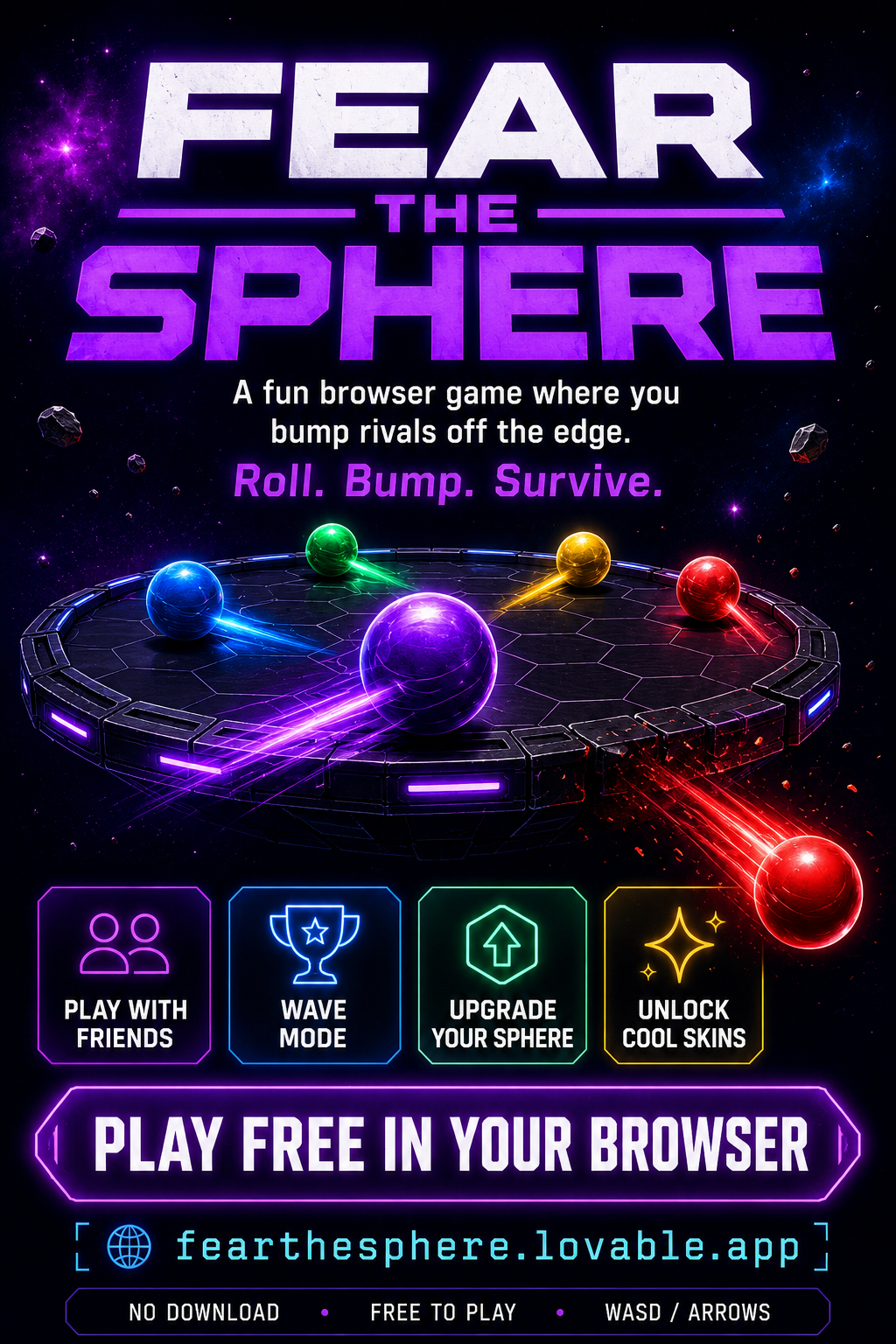
The Improvement Prompt — Reality vs. Expected
After your first build, play it like a tester. Then use this formula:
Right now, [REALITY].
I expected [EXPECTED].
Please fix it by [SPECIFIC CHANGE].
Keep [WHAT SHOULD STAY THE SAME] the same.
Reality vs. Expected — Improvement Prompt
Don't say 'make it better.' Say exactly what happened and what you wanted.
Right now, [REALITY].
I expected [EXPECTED].
Please fix it by [SPECIFIC CHANGE].
Keep [WHAT SHOULD STAY THE SAME] the same.
The Studio Upgrade
Once you have a game, you can turn it into a studio: a landing page, about, player promise, game catalog, build log, and a publishing checklist.
Studio Upgrade Prompt
Transform this project from a single game into a game studio website called "[STUDIO NICKNAME]".

Keep the current game "[FEATURED GAME TITLE]" as the featured game.
Add a landing page, about section, player promise, game catalog, build log, and safe publishing checklist.
Use the studio nickname "[STUDIO NICKNAME]" — do not use any real names.
Make the visual style match the featured game.
Include space to add more games later.

Do not include private information, real names, school names, addresses, phone numbers, private photos, copied characters, or copyrighted logos.
The Reusable Library Upgrade
A studio gets faster when it reuses good parts. Once you have a working game, ask Lovable to organize its title screen, score display, restart button, win/lose screens, and game cards into reusable pieces.
Reusable Library Prompt
Refactor "[GAME TITLE]" into reusable components so I can build more games faster.
Keep the game working.

Create reusable components for the title screen, instructions, score display, restart button, win screen, lose screen, game card, and prompt templates.
Add a page called "How This Game Works" that explains how to reuse the parts in student-friendly language.
Do not overcomplicate the code.
Chapter challenge
Create a V0.1 game. Don't try to make your dream game yet. Make a small version that proves the idea can exist.
- Fill in the First Build Prompt form in 1.13.
- Paste the generated prompt into Lovable and let it build.
- Test it like a tester (Reality / Expected / Fix / Keep).
- Generate an Improvement Prompt in 1.14 and run it.
- Decide if your game is V0.1, V0.2, or V1.0.
What you should understand now
- Vibe coding means using natural language to create and improve software with AI.
- Your role is creative director, not passive user.
- First builds are supposed to be rough.
- Games are built around actions, feedback, goals, and feelings.
- A player promise helps guide design decisions.
- Reality vs. Expected is one of the most important debugging tools.
- Lovable can be used to build systems that help build more games.
- Studios get faster by reusing prompts, components, and templates.
- AI doesn't replace your creativity — it increases the importance of your choices.
- Safe publishing and originality are part of being a real builder.