The secret: Lovable does not build from nothing
When you type a prompt into Lovable, it isn't inventing every piece of technology from scratch. It is usually building with existing web libraries and packages. That matters because different libraries are good at different things.
A beginner says "build me a game." A stronger builder says "build this as a 2D browser game using Phaser." An even stronger builder says "rebuild this game in Three.js so it becomes a 3D version while keeping the same core gameplay."
What is a library?
A library is reusable code that helps developers build faster. If you were building a house, you wouldn't forge your own hammer from raw metal. Real builders use tools.
- A physics library helps with gravity and collisions.
- A 3D library helps draw 3D worlds.
- A state library helps remember game data.
- A UI library helps create buttons, cards, menus.
- A database tool helps save scores, profiles, projects.
Why libraries matter for games
Games are more complicated than normal websites. They need movement, collision, gravity, animation, enemies, levels, cameras, particles, sound, score, health, physics, 3D, and sometimes multiplayer state.
If you ask Lovable to build all of that from scratch it might work, but it'll get messy. A library gives the AI a stronger foundation — like saying "use a bike frame" instead of "invent a vehicle from random parts."
Common libraries and what they're good for
The library choice changes the game
The same idea — "a player runs away from an evil sphere" — becomes different games depending on the library:
When should you use Three.js?
Use Three.js when the game idea actually needs 3D. Good fits:
- Escape a 3D maze
- Dodge spheres in an arena
- Fly through rings
- Explore a planet
- Roll a ball through obstacles
- Survive waves of enemies
- Walk around a 3D gallery
A quiz game, word puzzle, or simple catching game usually doesn't need 3D. Three.js is powerful but adds complexity. Use it when 3D makes the game more fun, not just to show off.
Prompt: Rebuild my game in 3D
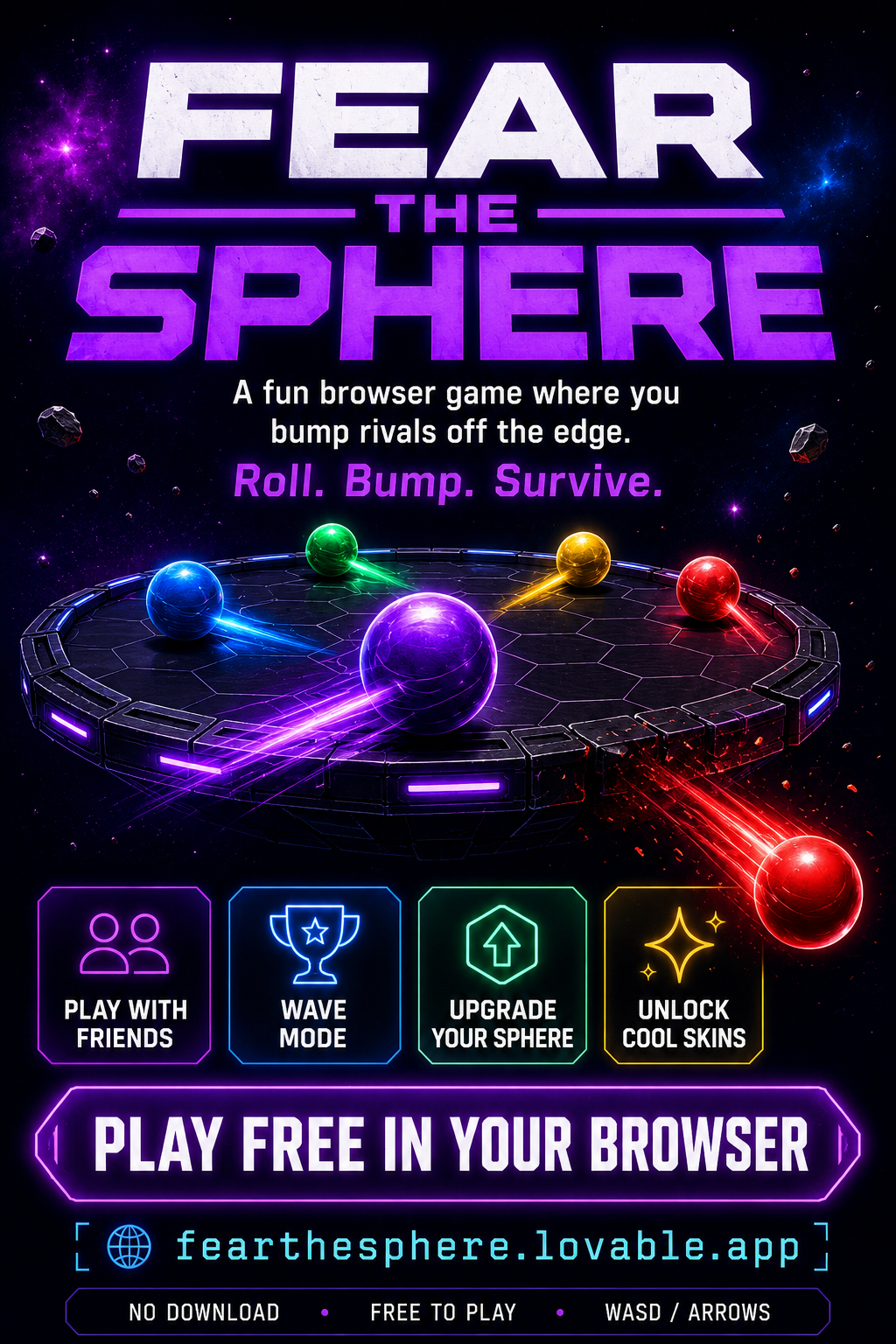
This prompt is the one that took a 2D game called Fear the Sphereand produced Fear the Sphere Reloaded — a 3D Three.js version on a separate route.
Three.js Reload Prompt
Fill in your current game. We'll generate a 'faithful rebuild' prompt that puts the 3D version on its own route and preserves the original.
I want you to try and build a completely separate game called "[CURRENT GAME TITLE] Reloaded" and make it a faithful rebuild of "[CURRENT GAME TITLE]", but using three.js so that everything looks like it is in 3D.

Keep the same core idea, mood, controls, and game loop from the current version, but rebuild the visuals and play space as a 3D game.

Focus on the main mode first.

Put the new version in /reloaded.

Keep going until the /reloaded version is playable.

Requirements:
- Use three.js for the 3D scene.
- Create a 3D arena or play space.
- Represent the player and key objects as 3D meshes.
- Add lighting, camera perspective, and depth.
- Keep the controls simple and responsive.
- Include a title or start screen.
- Include clear instructions.
- Include score, wave/level number, and health or lives if relevant.
- Include restart.
- Make the first wave easy enough to learn.
- Keep the original version working — do NOT replace it.
- Build this as a separate route at /reloaded.
Faithful rebuild vs. remix
Same core idea, new technology. Fear the Sphere Reloaded is still about surviving waves and avoiding the sphere — it just looks 3D now.
Same starting point, new idea. Turn Fear the Sphere into a space survival game where the sphere becomes a black hole and the player pilots a tiny ship.
Both are useful. A rebuild asks "how can this game become stronger with new tech?" A remix asks "how can this idea transform into something new?"
Prompt: Choose the best library for my game
If you're not sure which library to use, ask Lovable to help you choose. That's what real developers do.
Library Recommender Prompt
Analyze my current game idea and recommend the best technical approach.

My game idea:
[DESCRIBE GAME]

Compare these options:
- simple React app
- HTML Canvas
- Phaser
- PixiJS
- Matter.js
- Three.js
- React Three Fiber

For each option, explain:
1. What it would be good at
2. What might be difficult
3. Whether it fits my game
4. How hard it would be to build

Then recommend the best option for a V0.1 first build. Keep the explanation student-friendly.
Prompt: Convert my game to Phaser
Phaser Conversion Prompt
Use this when a simple game needs stronger 2D mechanics.
Rebuild "[GAME]" as a Phaser-based 2D browser game.

Keep the same title, core goal, player character, theme, and basic game loop.

Use Phaser for:
- player movement
- collision detection
- collectibles
- hazards
- level layout
- score
- win/lose states

Put the Phaser version in /phaser-version. Do not remove the current version.

Make the first version small and playable: title screen, clear controls, safe starting zone, restart button, simple win condition, one short level.

After building it, explain what changed and why Phaser is useful for this kind of game.
Prompt: Add physics with Matter.js
Matter.js Physics Prompt
Use this when a game needs gravity, bouncing, ramps, or physics puzzles.
Add a new physics-based version of "[GAME]" using Matter.js.

Put it in /physics. Keep the same theme and main character, but use physics as the main mechanic.

Add: gravity, collision, bouncing or rolling objects, obstacles, a clear goal, restart button, simple instructions.

Make it playful and easy to test. Do not remove the current game.

After building it, explain which parts use Matter.js and how the physics changes the gameplay.
Prompt: Add saved scores with Supabase
Supabase Leaderboard Prompt
Add a saved score system to "[GAME]" using Supabase.

Before making changes, explain what data needs to be stored.

Create a simple leaderboard that saves:
- player studio nickname
- score
- game title
- date submitted

Safety:
- Do not ask for real names.
- Do not ask for emails.
- Do not store private information.
- Use studio nicknames only.

Add: submit score button, leaderboard page, and a teacher-friendly note explaining what data is stored.

Make sure the game still works if the leaderboard fails.
Prompt: Turn my game into a reusable engine
This is one of the most important studio moves. You're no longer making one game — you're making the tool that helps you make the next one.
Reusable Starter Kit Prompt
Turn "[GAME]" into a reusable game starter kit.

Keep the current game working, but organize the project so I can build more games faster.

Create reusable systems for:
- title screen
- instructions
- player controls
- score
- timer
- lives or health
- levels
- collectibles
- obstacles
- win screen
- lose screen
- restart button
- game settings
- version badge

Create a new page called /builder-kit that explains how to reuse these systems.

Add copyable prompts for: make a new game using this starter, change the theme, add a level, add a power-up, make it easier, make it harder, fix a bug using Reality vs. Expected, polish for publishing.

Keep the explanation student-friendly. Do not overcomplicate the code.
Prompt: Build a library comparison page inside my project
Add a new page called /game-libraries that teaches students about the different libraries and tools this project could use to build games.

Include sections for: React, Tailwind, shadcn/ui, Canvas, Phaser, PixiJS, Matter.js, Three.js, React Three Fiber, Zustand, Supabase.

For each one, explain:
1. What it is
2. What it is good for
3. When a student should use it
4. One example prompt

Keep the writing friendly for ages 14–16.

Add a "Choose My Engine" wizard where students answer:
- Is your game 2D or 3D?
- Does it need physics?
- Does it need saved scores?
- Does it need multiplayer or shared data?
- Does it need a polished website or dashboard?
- Is it mostly a simple prototype?

Then recommend one or two tools and generate a starter prompt.
How to think like a technical director
A studio's technical director asks: What are we building? What tools should we use? What should stay simple? What might break? What should be reusable? What should we build first? What should we avoid for V0.1?
The 'upgrade path' mindset
You don't build everything at once. Build one version, then unlock the next level.
Chapter challenge: Reload your game
Take one game you've built and create a new version using a different library.
- Pick a current game and note its version (V0.1 / V0.2 / V1.0).
- Choose an upgrade: 3D, better 2D, physics, leaderboard, reusable kit, studio site.
- Pick the library to use.
- Use one of the prompt forms in this chapter to generate the upgrade prompt.
- Do not delete the original. Put the new version on a new route like
/reloaded,/phaser-version,/physics,/studio, or/builder-kit. - Compare. What's better? What's harder? What would you improve next?
What you should understand now
- Lovable can use libraries and npm packages to build more advanced projects.
- A library is reusable code that helps developers build faster.
- Different libraries are good for different kinds of games.
- Three.js helps create 3D browser games.
- Phaser is useful for serious 2D games.
- Matter.js helps with physics.
- Supabase helps save data.
- Choosing the right tool is part of game development.
- You can rebuild the same game using a different technical approach.
- Preserve old versions instead of replacing them.
- A studio gets stronger when it turns games into reusable systems.